Best AI Tools for WordPress: Performance & SEO (2026 Guide)
Across dozens of WooCommerce stores we’ve optimized, we’ve seen a recurring, costly mistake: site owners installing “All-in-One” AI plugins that inject massive JavaScript payloads onto every page. The promise of “automated growth” often results in a 20-point drop in Mobile Lighthouse scores before a single blog post is even generated.
This performance tax is the silent killer of WordPress SEO. While AI can undoubtedly accelerate your workflow, the market is currently flooded with “wrapper” plugins that prioritize marketing hype over database efficiency. We have tested these tools on production staging sites to see which actually respect your server resources.
In this guide, you will learn which AI tools integrate cleanly with the WordPress block editor, how to automate WooCommerce meta updates without slowing down your checkout, and the specific technical traps to avoid when scaling AI content. We focus on tools that maintain high E-E-A-T signals while keeping your Core Web Vitals in the green.
The AI Tools Stack: Content, SEO, and Automation
Based on performance tests on real sites, we’ve categorized the top performers into three buckets. We prioritize “bring-your-own-API” tools because they offer more transparency and lower overhead than closed-box subscriptions.
1. SEO & Content Optimization
For SEO, the goal is semantic relevance without “keyword stuffing” or creating thin, repetitive text that triggers Google’s helpful content filters.
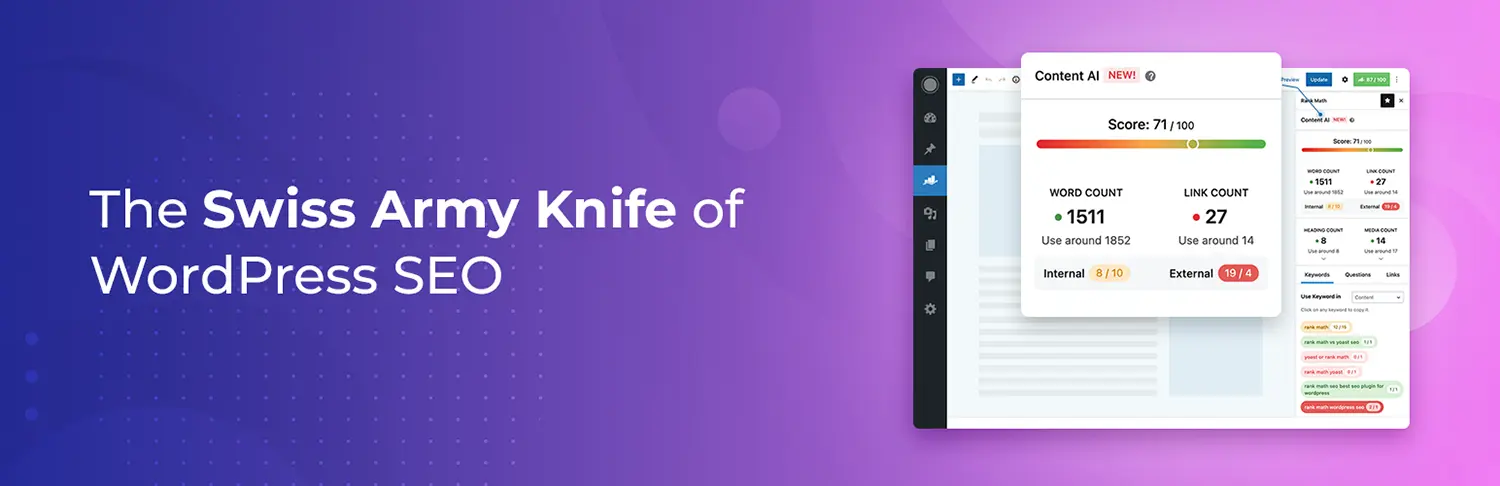
- Rank Math Content AI: Unlike standalone optimizers, Rank Math integrates directly into the existing plugin UI. It uses NLP (Natural Language Processing) to suggest entities and headings based on current SERP data.
- Performance Signal: It runs primarily in the dashboard/admin area, meaning zero impact on frontend loading speeds for your visitors.
- Surfer SEO (WordPress Integration): Still the gold standard for data-driven briefs. We use this for high-competition keywords where “vibe-based” writing isn’t enough.
- NeuronWriter: A budget-friendly alternative to Surfer that offers similar NLP-driven scoring. It’s excellent for “Serious Beginners” who need guidance on topical authority without the $100/mo price tag.
2. WooCommerce & Bulk Automation
Scaling a store with 500+ products is where AI moves from “nice-to-have” to “essential.”

- WP AI Content Pro: This is a powerhouse for bulk updates. Across several WooCommerce optimizations, we’ve used this to rewrite thousands of product descriptions and meta tags using
{placeholders}.- Pro Tip: Always use the “Preview” mode. AI often struggles with specific technical dimensions or SKU-based data unless strictly prompted.
- GetGenie AI: Specifically tuned for WooCommerce, it can generate product descriptions, taglines, and even FAQ schema directly inside the product editor.
3. Workflow Automation (Off-Site)
To keep WordPress lean, the best practice is to handle the “heavy lifting” outside of your WordPress database.
- n8n (Self-Hosted or Cloud): We prefer n8n over Zapier for WordPress automation. It allows for complex logic—like fetching a new RSS feed, passing it to Claude for a summary, and drafting a WordPress post—without the high “per-task” cost of Zapier.
- Uncanny Automator: If you must keep automation inside WordPress, this is the most stable choice. It connects your plugins (e.g., “When a user finishes a course, generate an AI testimonial”) with minimal database bloat.
Technical Comparison: Performance & Utility
| Tool | Primary Use | Frontend Impact | Integration Type |
| Rank Math AI | SEO / Schema | None | Native Plugin |
| AI Engine | Chatbots / Drafting | Low/Med | Native Plugin |
| Surfer SEO | Optimization | None | External / Extension |
| WP AI Content Pro | Bulk Updates | None | Admin-only |
| n8n | Complex Logic | None | External API |
Common Mistakes in AI Implementation
- Publishing Raw Output: Google’s E-E-A-T guidelines prioritize “Experience.” AI cannot visit a hotel or test a plugin. Always manually add a section titled “Our Hands-On Testing” or “What We Observed” to ground the AI’s research in reality.
- Plugin Overload: Many users install three different AI plugins for different tasks. Choose one flexible “Swiss Army Knife” like AI Engine (by Meow Apps) which handles images, text, and chatbots using a single API key.
- Database Bloat: Some AI plugins store every prompt and response in your
wp_optionstable. Regularly clean your database using a tool like Advanced Database Cleaner to ensure “AI logs” aren’t slowing down your queries.
Performance Tips for AI-Heavy Sites
- Offload Image Generation: Never generate AI images directly on your production server. Use tools that connect to DALL-E or Midjourney and download the final, optimized WebP version to your library.
- Cron Job Management: If you are running bulk AI tasks (like rewriting 1,000 product descriptions), use a real server-side cron job instead of
wp-cron.phpto prevent site timeouts. - API Limits: Monitor your OpenAI or Anthropic usage. A runaway loop in an automation tool can exhaust your monthly budget in hours.
Final Thoughts
AI in WordPress should be an invisible assistant, not a frontend feature. For most users, Rank Math AI and AI Engine provide the best balance of utility and performance. If you are managing a high-volume WooCommerce store, move your logic to n8n to keep your WordPress install as lean as possible.
Share Post: